|

|
Link Editor—Search by WordThe fields described below appear in the Search Information section of the Link Editor when you modify a Search by Word link. After making any of the modifications described
in the following sections, or in any of the General Information
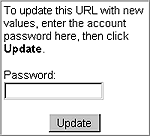
fields, always type the ProQuest Direct account password for your current session in the Password
field and click Update in this box on the Link Editor page. Search forFor a ProQuest Direct page that displays a list of articles, this field displays the search word or term. To edit the search, simply overtype the value in this field. You can use any valid Search by Word syntax supported in ProQuest Direct. ProQuest Direct's Search Assistant provides access to and instructions for using search operators, date range restrictions, and search fields. Also see ProQuest Direct's online help. Add plurals/Use thesaurusWhen Add plurals is enabled,
ProQuest Direct expands the search to find occurrences of plurals of the search terms. For
example, a search on computer will also find computers. A search on calf will also
find calves.
Search full text
Yes—The option is enabled for this link. Maximum resultsThe maximum number of articles to display to the user. Specify at least 1, but not more than 50. The default if left blank is 25. |